30+ Hidden Settings
Your Defender has been holding out on you. We unlock every buried setting so you can flip them on in seconds.
Windows hides its best security features. We found them all. And made them ridiculously easy to use.
Download for WindowsYour Defender has been holding out on you. We unlock every buried setting so you can flip them on in seconds.
One click. It scans your apps, picks the perfect settings, and sorts your security. Like magic, but real.
Native C++23. SIMD-optimised. Data-oriented design. No Electron, no bloat. Just speed you can actually feel.
Everything updates in real time. So you always know exactly what's on and what's not. No guessing.
Windows locks some settings down tight. We spot that instantly and guide you through it. No drama.
Every setting explained like a human wrote it. Because one did. You'll actually understand what you're changing.
Some apps phone home when they shouldn't. Now you can see exactly who's talking — and shut them up.
Malware loves hiding in your exclusions list. Our AI checks it and calls out anything dodgy.
It catches what others miss. Hidden threats, dodgy connections, sneaky persistence tricks — found and flagged in seconds.
It looks at your apps. Picks the ideal settings. Applies them. You just sit there and enjoy being protected.
Every Defender setting. Beautifully organised. Toggle, tweak, and fine-tune to your heart's content.
Temp files, browser caches, leftover junk — gone. Reclaim gigabytes of space you forgot you had.
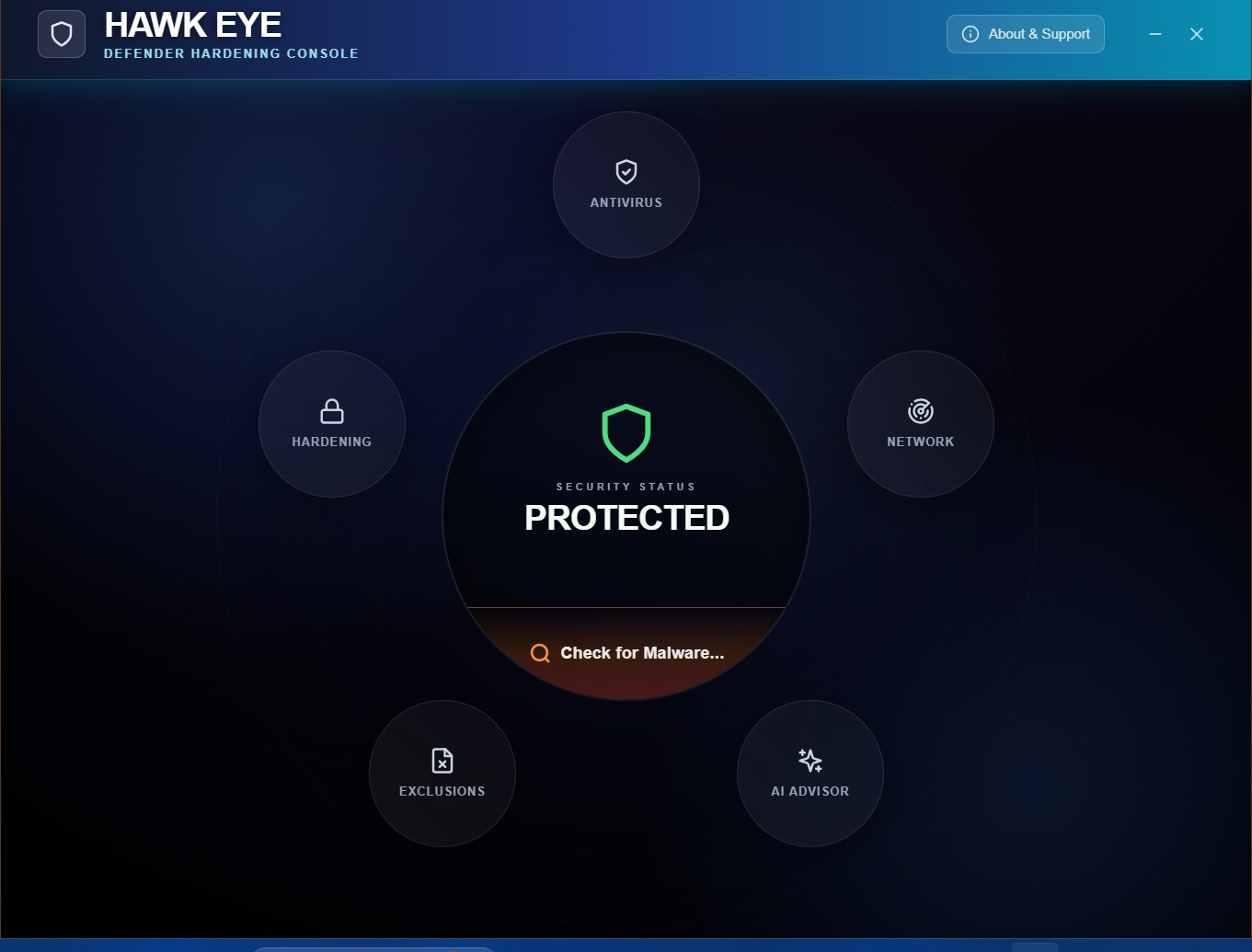
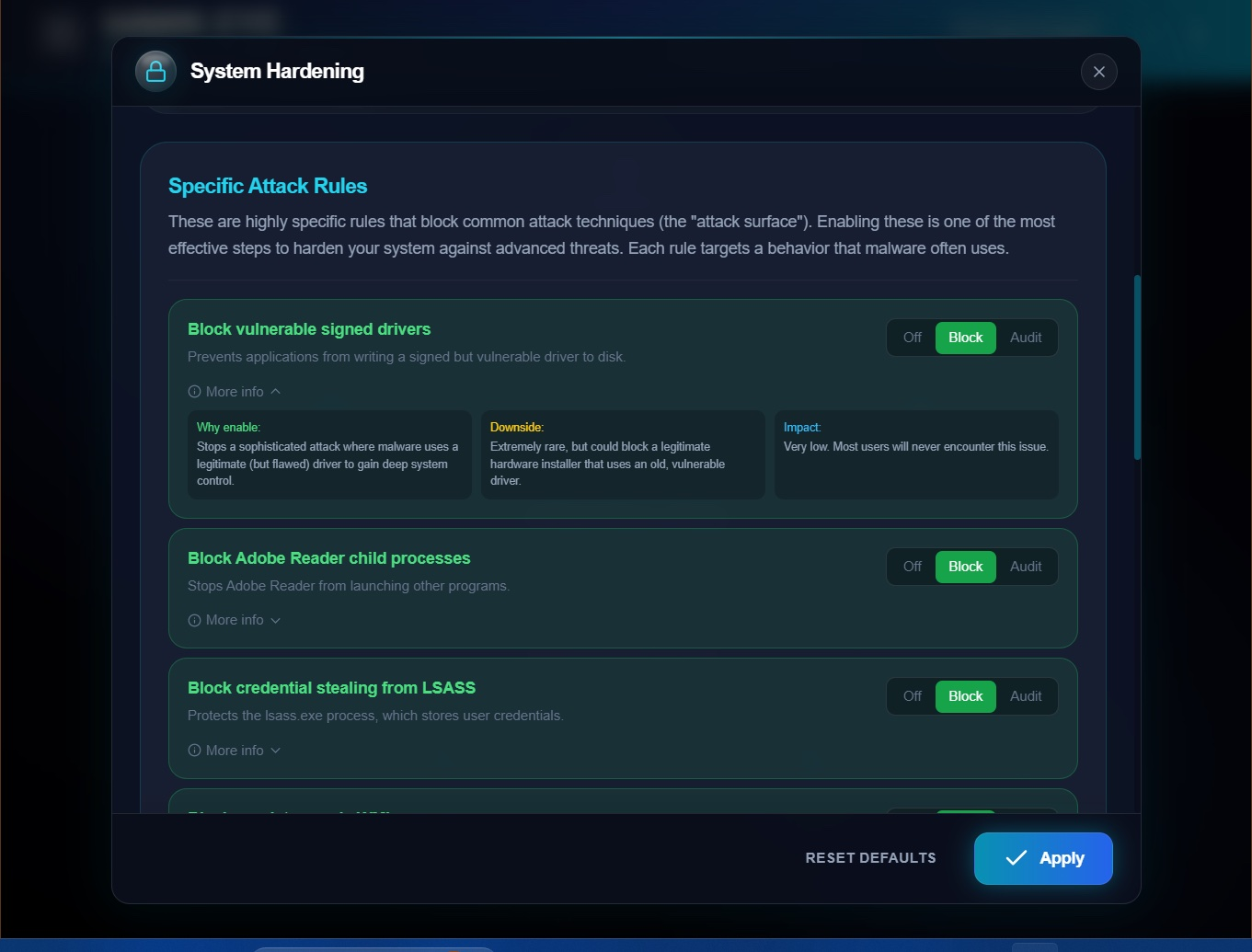
Common attack tricks? Blocked before they even start. Every rule explained so you know exactly what it does.
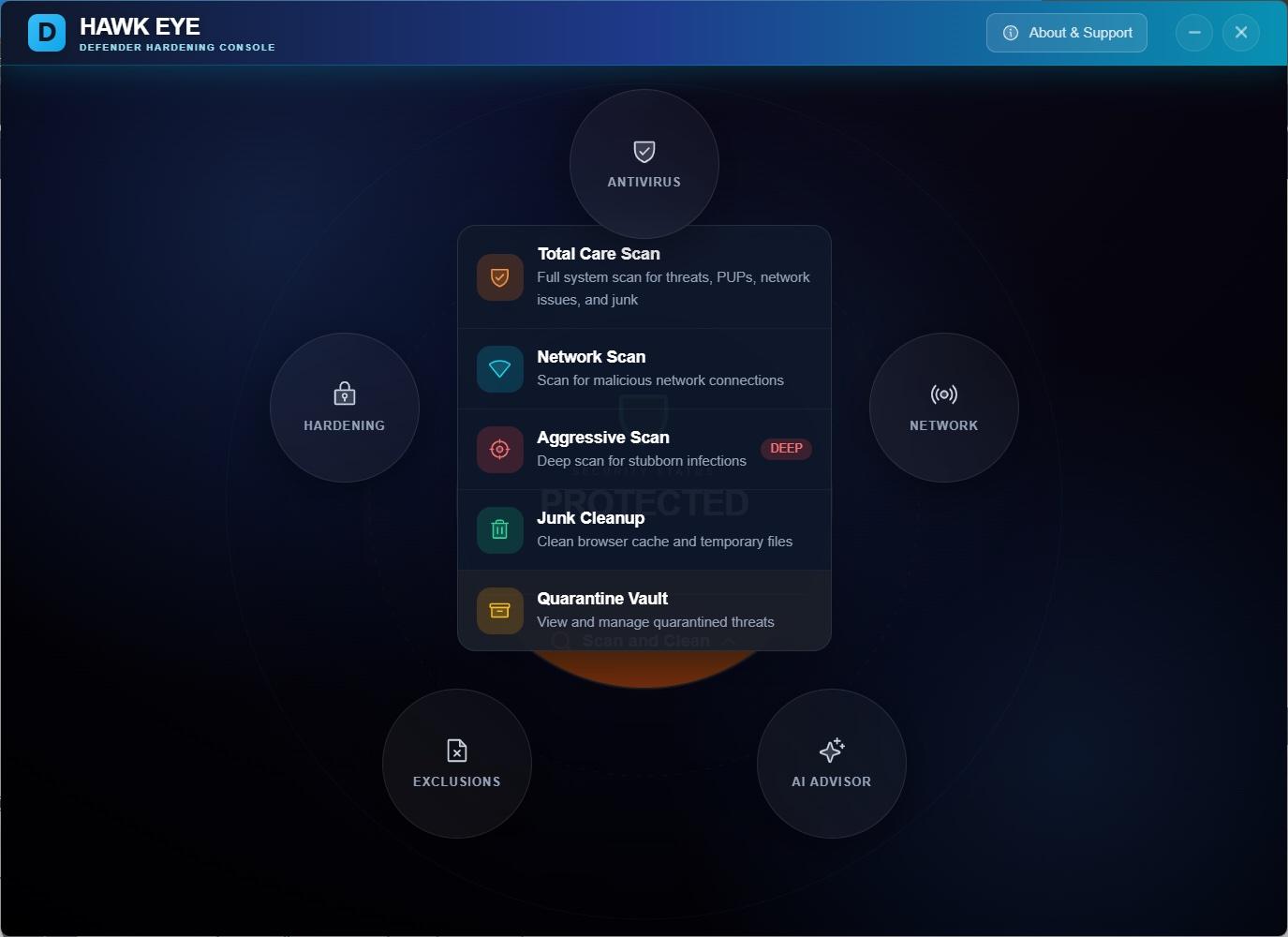
Deep scans. Network scans. Junk cleanup. Pick your mission — or just hit go and let it handle everything.
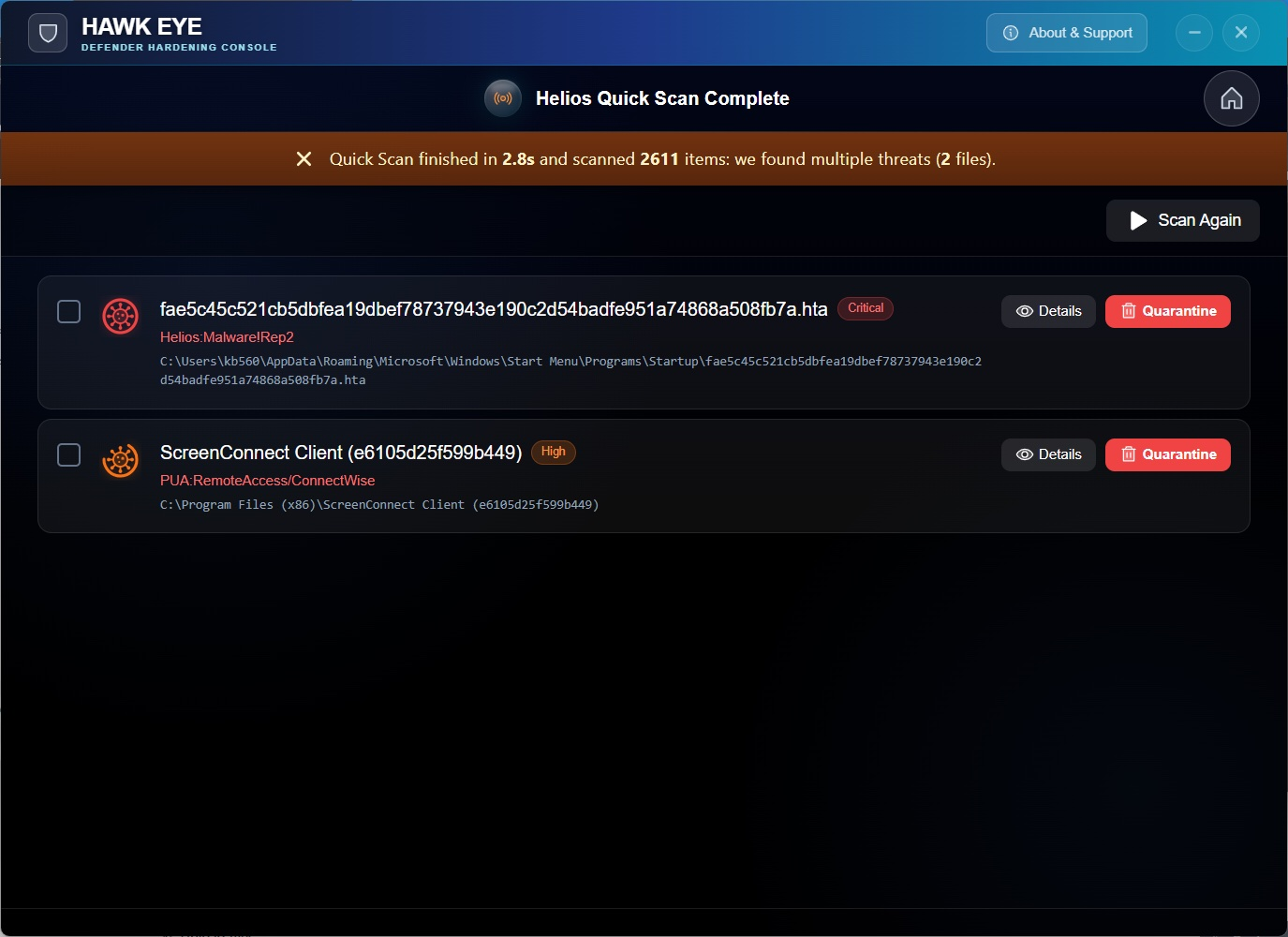
Threats show up loud and clear. Severity, location, one-tap quarantine. Done.
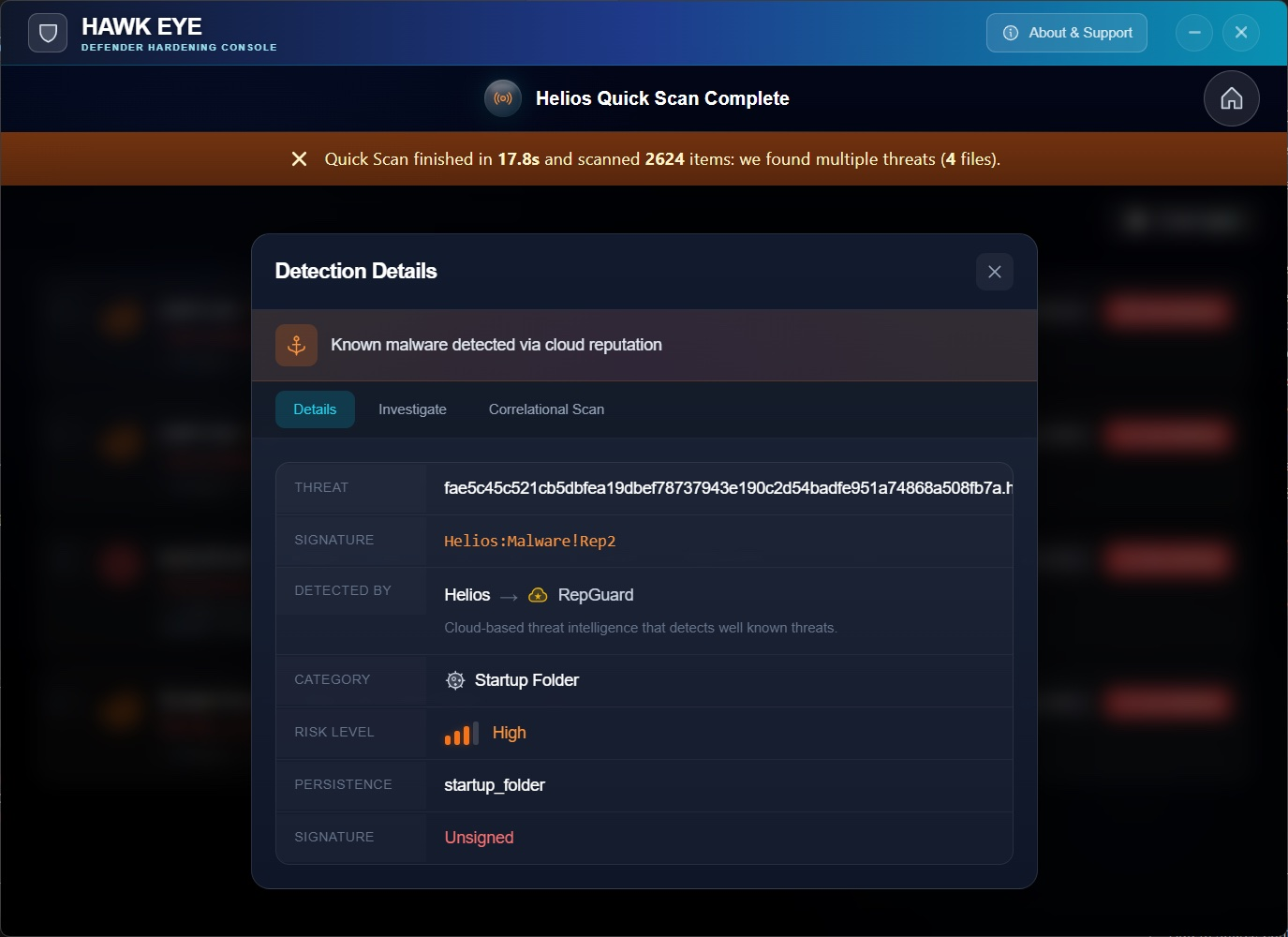
Want the full story? Cloud reputation, risk scoring, persistence checks, signature verification — it's all right here.
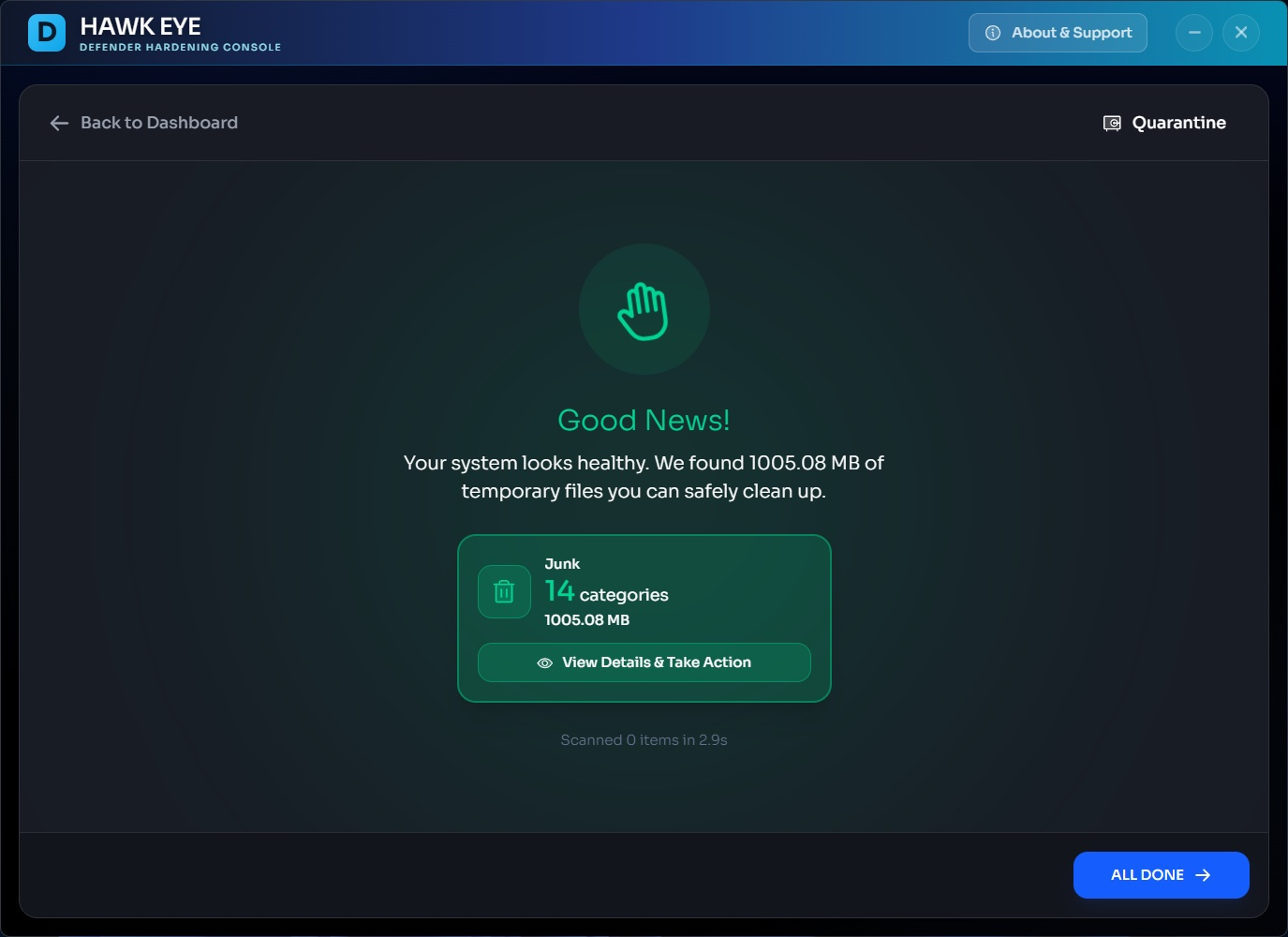
All clear? Nice. Now reclaim gigabytes of space with built-in junk cleanup. Your hard drive will thank you.
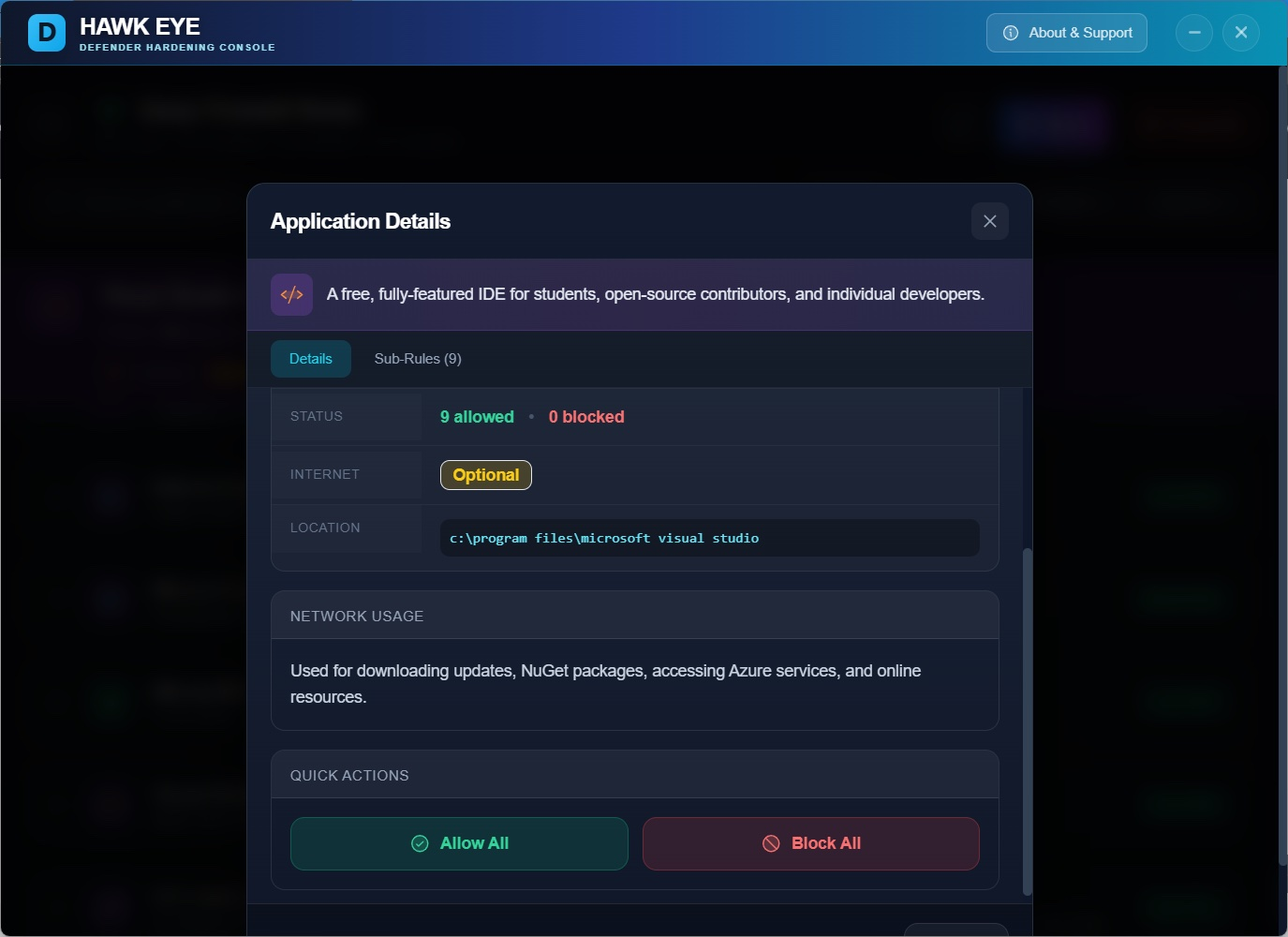
Why does this app need internet? Now you'll actually know. Allow it or block it. Your call.
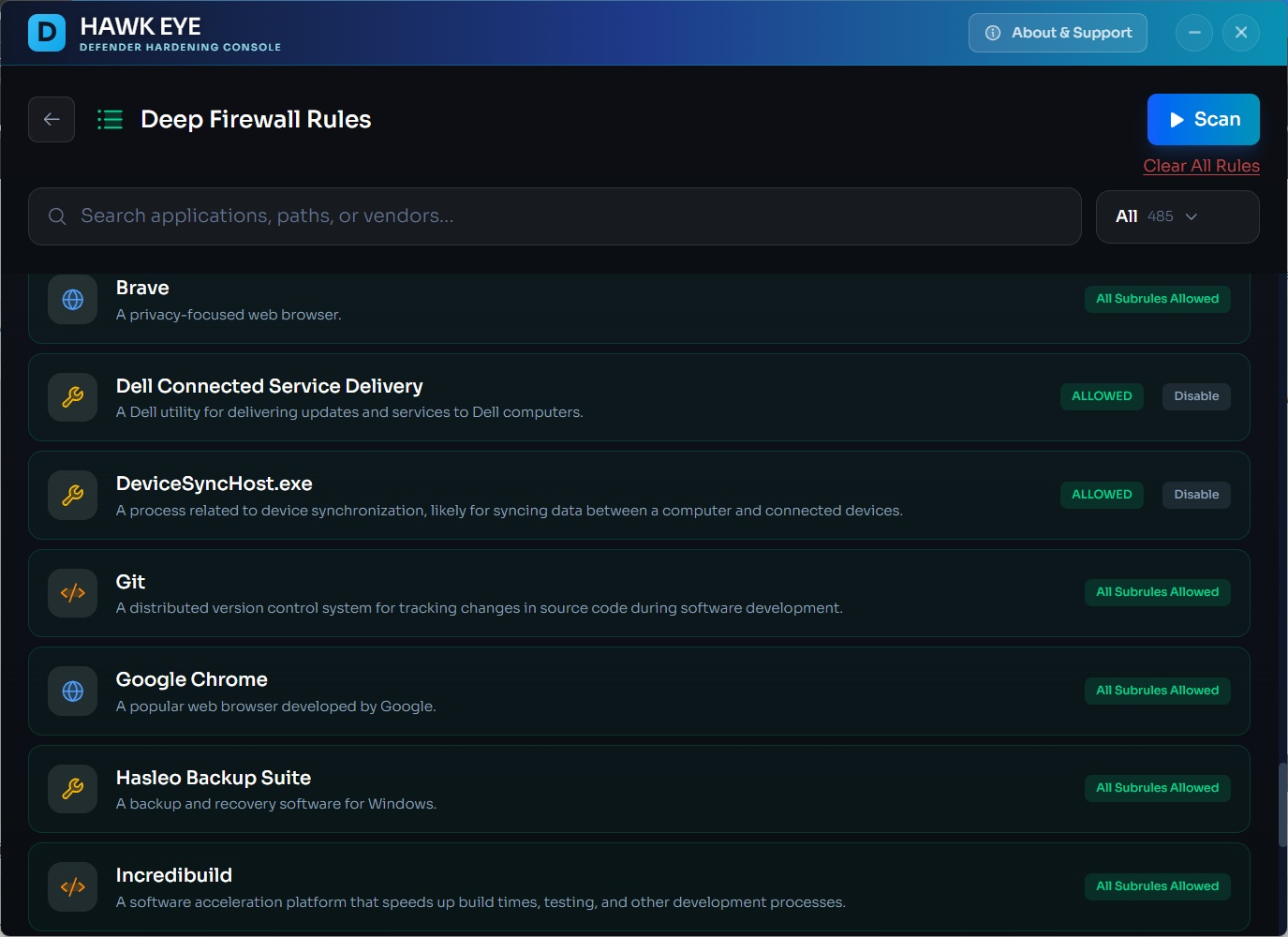
Every app on your system. Listed, described, and ready to be managed. Search, sort, decide.
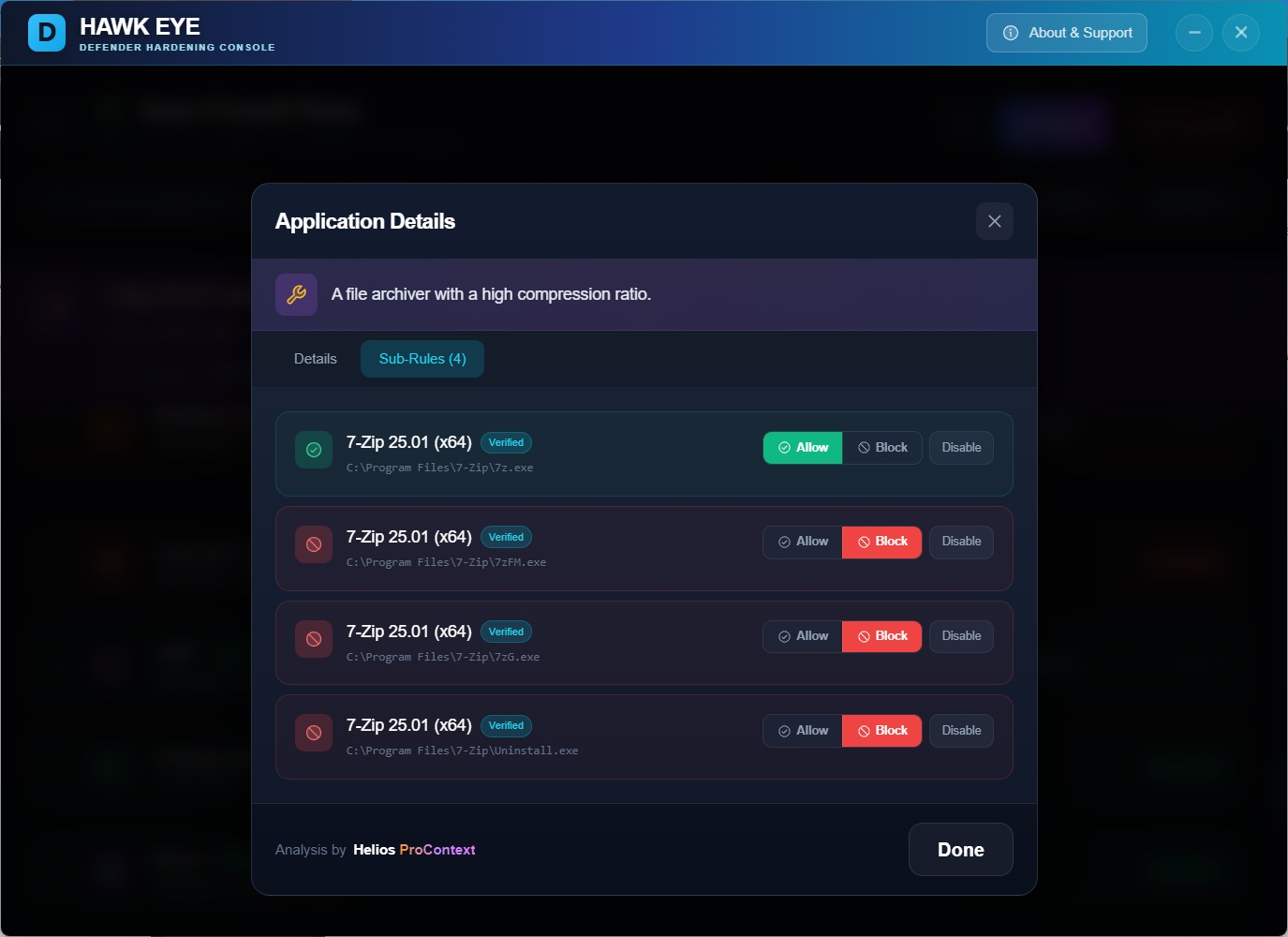
Go deeper than app-level control. Allow the browser but block its updater. You're the boss.
What does this app actually do? Why does it connect? Should you let it? Now you'll know.
Defender Hardening Console has 3 active ingredients:
Defender Hardening: This makes Microsoft® Defender, your built-in security, much more resistant to attacks by unlocking and configuring hidden security settings.
Deep Firewall Control: Prevents data exfiltration by blocking untrusted and commonly abused applications from connecting to the internet.
The Helios Engine: A powerful scan engine that detects malware that some antiviruses may miss, using premium threat feeds and proprietary heuristics.
No, it is not a traditional antivirus. Defender Hardening Console hardens your default security app (Microsoft® Defender) and provides the Helios scan engine that detects malware often missed by AVs, system issues, and junk files.
Think of it as a security enhancer that works alongside your existing protection to fill the gaps.
The network scan detects suspicious, malicious, and unauthorised connections from applications on your system. It identifies programs that may be communicating with known malicious servers, botnets, or making connections they shouldn't be making.
During the network enrichment phase, the Helios engine pulls additional data that is necessary for the heuristic analysis. This includes querying threat intelligence feeds, checking IP reputations, and gathering context about each connection to provide you with accurate and actionable results.
Remote support software allows someone to control your computer from a distance. While legitimate IT support uses these tools, they are heavily abused by scammers.
Common scams include:
These scammers install persistent remote access software to maintain control of your computer even after the call ends.
Yes, in most cases you should. A legitimate business or IT professional uses portable remote support software that leaves no traces after the session ends.
Persistent remote support software that wasn't installed by you, a friend, relative, or by your IT team is a sign of unwanted remote access and poses a huge security risk. Scammers can return to your computer at any time to steal data, install malware, or commit financial fraud.
Many so-called "system optimisers" and "registry cleaners" are digital snake oil. They often:
Windows has built-in tools for disk cleanup and maintenance that are safer and more effective than these third-party applications.
Don't worry! At Hawk Eye, we do not use scareware tactics. Every issue that we detect comes with an easy fix and clear explanation.
We'll take care of it—and we won't pressure you with fake urgency or exaggerated warnings. Our goal is to genuinely improve your security, not to frighten you into action.
The Helios engine uses a sophisticated combination of detection methods:
This multi-layered approach catches threats that traditional signature-based antiviruses often miss.
Absolutely not! The software is designed with clear labels and guidance which makes it suitable for everyone.
For experts: You can dive deep into the nooks and crannies of Microsoft® Defender, tweak individual settings, and fine-tune your security configuration exactly how you want it.
For novice users: Features like the AI Wizard allow you to apply tailored, optimal configuration with just one click—no technical knowledge required. The software explains everything in plain English.
Free to download. Takes minutes to set up. Makes a difference immediately.
Download Now